See it in action

Create Business-Ready AI Videos From Existing Images

Video X helps teams turn product photos, campaign visuals, portraits, and brand assets into high-quality AI videos powered by Gemini Omni Flash.

Upload one image, describe the motion, and generate usable short-form video assets for ads, campaigns, product launches, social content, and client presentations.

  • Reduce the cost and time of video production
  • Turn existing image assets into motion content
  • Generate multiple creative variations without a full reshoot
  • Support faster campaign testing and content iteration
video-x-interface_v1.0
Source Image (PNG) Source Image
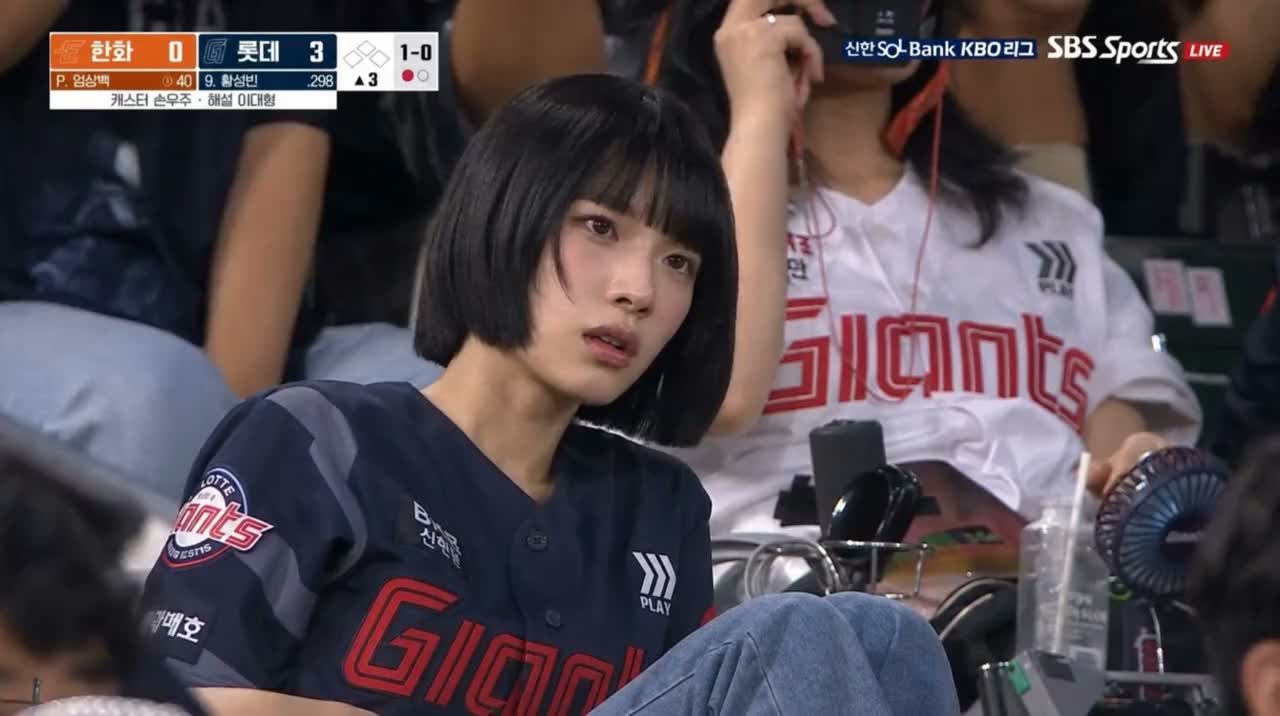
Output AI Video (MP4)
Market Reality

Video Production Is Still Too Slow for Modern Content Teams

Marketing and creative teams need more video assets than ever, but traditional production workflows are often expensive, slow, and difficult to scale.

Traditional Video Production High Barrier
  • Product and campaign images are ready, but video versions take extra time.
  • Short-form platforms require constant creative testing, overloading editors.
  • Agencies need fast visual options before final production.
  • Small teams often lack video editors, motion designers, or shooting budgets.
  • Static visuals are harder to reuse across ads, launches, and social campaigns.
Video X AI-Driven Workflow Accelerated
  • Immediate Action: Generate video assets instantly using your existing image folders.
  • Rapid Variations: Run multiple creative angles for A/B testing on social platforms.
  • Pitch-Ready Previews: Show clients polished moving concepts in minutes, not days.
  • Accessible UI: Direct motion elements with plain text prompts; no animation skills required.
  • Asset Multiplication: Unlock maximum ROI by recycling static graphic investments.
Product Solution

A Faster Way to Turn Visual Assets Into Video Content

Video X gives teams a simple workflow for generating AI videos from existing images. Instead of starting with a new shoot or complex editing timeline, users can begin with one image and direct the video through natural language.

01

Upload Image

Upload an existing image from your product lines, campaigns, or brand assets.

02

Describe Motion

Describe the motion or creative direction.

03

Gemini Action

Generate an AI video powered by Gemini Omni Flash.

04

Export & Run

Review, refine, and use the result for campaigns, social media, product pages, or presentations.

Try the Workflow
Platform Features

Built for Practical AI Video Creation

Image-to-Video Generation

Turn product photos, portraits, posters, and campaign visuals into short AI videos with high visual consistency.

Source to Output
JPG
MP4 (30fps)

Conversational Editing

Describe changes in plain language, such as adjusting action, lighting, or scene details, without restarting the full process.

Interactive Prompt
"Make the camera pan slowly"
Refining movement...

Physics-Aware Motion

Generate scenes with more grounded movement, including gravity, kinetic motion, and natural physical behavior.

Kinetic Simulation
Vector: G_9.8m/s²

Creative Variation

Produce multiple video directions from the same source image for faster testing, review, and campaign development.

Variations Map
Angle A (Zoom)
Angle B (Tilt)
Angle C (Pan)

Multimodal Input Support

Use visual assets as the starting point for generation, making the workflow easier for non-technical users.

Multimodal Node
Image + Description Prompt
Target Audience

Designed for Teams That Need More Video Output

Business Role
Product & Store Managers

Overseeing catalogs, store listings, and conversion metrics across multiple marketplaces.

Pain Point
Static product photos don't convert

Store listings require dynamic video clips to grab attention, but shooting every single SKU is cost-prohibitive.

Practical Benefit & Output
Turn photos into listing videos

Generate high-converting video variations for store listings, Amazon spots, and promotional campaign assets.

Business Role
Performance Marketers

Designing digital campaigns, executing social media strategy, and hitting CTR targets.

Pain Point
Creative fatigue hits within days

Modern ad channels burn through creative variations rapidly. Constant manual production is impossible to sustain.

Practical Benefit & Output
Fast content variations

Spin out multiple video directions from key campaign graphics for rapid A/B testing on Reels, Shorts, and ads.

Business Role
Creative Agencies

Crafting campaigns, preparing client pitches, and developing concept designs.

Pain Point
Long lead times for early mockups

Pitching animated concepts requires intensive design effort before a client has even signed the deal.

Practical Benefit & Output
Rapid conceptual rendering

Generate animated previews of moodboards and product layouts for pitch decks and rapid client reviews.

Business Role
Visual & UI Designers

Developing static assets, layouts, brand illustrations, and product systems.

Pain Point
Hard to showcase motion ideas

Explaining how a static graphic should animate to developers or stakeholders is complex without early prototyping.

Practical Benefit & Output
Instant motion prototyping

Preview camera sweeps and physics-based flows directly from flat designs before investing time in software timelines.

Business Role
Social Creators & Influencers

Building audiences across YouTube, Instagram, TikTok, and social communities.

Pain Point
High effort to keep feeds active

Feeds require constant video uploads, but producing daily high-quality clips manually is exhausting.

Practical Benefit & Output
Animate profile assets & portraits

Animate thumbnails, portraits, and aesthetic images into ready-to-publish video stories and interactive posts.

Business Role
Small Business Owners

Handling branding, operations, marketing, and sales in smaller, agile teams.

Pain Point
No specialized editing budget

Professional video agencies and editors are expensive, leaving small teams relying on boring static grids.

Practical Benefit & Output
SaaS-driven self-production

Turn standard storefront photos, food plates, or product shots into clean social videos independently.

See What Teams Can Create
Business Performance

Scale Video Output Without Scaling Production Complexity

Asset Reuse
Reuse existing image assets more efficiently.
Instant Preview
Shorten the time from concept to video preview.
Fast Testing
Generate content variations for testing and review.
Reduced Cycles
Reduce dependency on full video production cycles.
Lower Barrier
Help non-video specialists create motion content more easily.

Business Framing: Video X is not only a creative tool. It is a workflow accelerator for teams that need to move from static visual assets to usable video output faster.

Under the Hood

Powered by Gemini Omni Flash for Smarter AI Video Generation

Gemini Omni Flash enables Video X to support more than basic image animation. It helps users direct video creation through conversation, generate more physically grounded motion, and work from multimodal inputs.

  • Conversational Editing Refine camera moves and object speed through simple back-and-forth chat without recreating steps.
  • Physics-Aware Generation Maintains consistent physical behaviors, ensuring lighting, shadows, and gravitational actions stay believable.
  • Wide Input Versatility Supports rendering from simple product stills, conceptual vectors, vector assets, and intricate campaign paintings.
  • Structured SaaS Tooling Specifically geared toward standard business and creative team operations, maximizing production speed.
Gemini Omni Flash Multimodal Pipeline
Still Image Input
Camera Motion Text
Core Engine
Gemini Omni Flash Model
High-Fidelity AI Video Output (.mp4)

Start Turning Your Existing Images Into AI Video Assets

Video X helps you move faster from static visuals to usable video content for campaigns, social media, ecommerce, and creative review.

Start Creating Now
  • Free to start
  • No credit card required
  • Video generation uses your account credits